Time Management Tool

✦ LernEarn Studio

Time Management & Focus Tool

Track sprint sessions and focused intervals side-by-side.

Your Tasks

0 Tasks
    No tasks added yet.
    Ready to Focus
    00:00
    min

    Purpose Of Time Management Tool

    • Task Management
    • Time Tracking
    • Timer with Pause/Resume Option
    • Break Reminders 
    • Progress Tracking

    Benefits of Using a Time Management Tool

    How to Use the Tool (Step-by-Step Guide)

    • Add the task name (logo design, web design, article writing, etc)
    • Write the estimated time
    • Click on the “Add Task” button
    • Click on the “Start” button in front of the task name
    • To start the task, click on the “Start Timer” button 
    • To pause or resume time, use the “Pause Timer” button
    • To stop time, use the “Stop Time” button
    • By clicking the “Take a Break” button, you can take a break of 5 minutes or more for relaxation
    • Track your progress through the timer and task list

    Tips for Effective Time Management

    • Complete high-priority tasks first.
    • Set achievable goals for their tasks.
    • Breaks are compulsory to maintain productivity.
    • Review the daily or weekly progress and make improvements.

    Frequently Asked Questions

    Yes, this tool is 100% free and easily usable.

    Yes, you can change break time according to your requirements.

    You can arrange more than one task at the same time more effectively.

    You can manage all types of tasks:

    • Assignments writing
    • Business tasks (meeting schedule, client dealings)
    • Freelancing tasks ( web development, web designing, content writing, copywriting, video editing, etc).

    Conclusion

    Similar Posts

    • Freelance Rate Calculator

      Freelance Rate Calculator Free Online ✦ LernEarn Studio Global Freelance Rate Calculator Calculate your ideal hourly, daily, and monthly freelance rates matched against global market benchmarks. Your Core Skill Your Location / Country Preferred Currency Desired Take-Home Monthly Income Billable Hours Per Week Working Weeks Per Year Include Monthly Overhead & Expenses (Rent, Software, Taxes)…

    • Image Converter

      Online Image Converter Convert your images to JPG, PNG, WEBP, and more in seconds with zero quality loss. Our 100% free Online Image Converter processes files directly inside your browser for maximum privacy, lightning-fast speed, and no file size limits. No sign-up required. ✦ LernEarn Studio Online Image Converter Convert multiple images across JPG, PNG,…

    • Image Compressor

      Online Image Compressor Choose an image (JPG, PNG, WebP, etc.) and compress it to reduce file sizes without compromising quality, ensuring faster website loading times. ✦ LernEarn Studio Image Compressor Tool Compress JPG and PNG images instantly in your browser with zero quality loss. 📁 Click to upload or drag & drop images here Supports…

    • Lovable

      Lovable Build a full web app or website from simple natural language. You don’t need to write any code. You don’t need any tech background. Just describe what you want, like a dashboard, a startup MVP, or an internal tool for your team. Lovable creates the design, code, and database, and can put your app…

    • Cursor

      Cursor Cursor is an AI-first code editor built on top of VS Code, designed to accelerate local software development. It indexes your entire project repository, letting you generate, refactor, and edit multiple files at once with simple natural-language prompts. Powered by advanced frontier models like Claude 3.5 Sonnet and GPT-4o, it turns complex programming into…

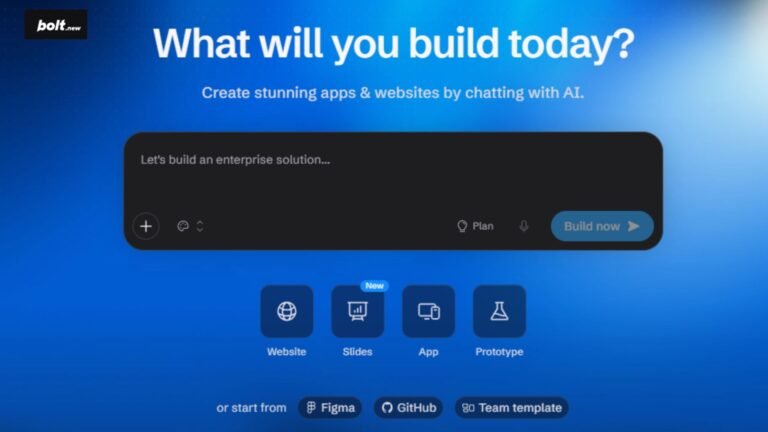
    • Bolt.new

      Bolt.new Build, run, and deploy full-stack web applications entirely in your browser. You don’t need to install Node.js, Git, or terminal tools. Just describe what you want, and Bolt.new sets up the code, packages, live preview, and deployment with a single click. Overview Features AI / LLMs Pricing What is Bolt.new? Bolt.new is an in-browser…